
Download PureFTPd Manager – Secure FTP Tool for Mac
PureFTPd Manager is a lightweight, free utility designed to simplify the administration of Pure‑FTPd servers on macOS. Tailored for Mac OS X and its earlier releases, this Internet software brings a graphical front‑end to the powerful Pure‑FTPd daemon, allowing both beginners and seasoned sysadmins to configure users, virtual folders, and security policies without digging into command‑line files. Since its first appearance in 2006, the program has attracted a global community, especially in China, Russia, and India, where it has been downloaded thousands of times. The current version 1.6.3, released on October 18 2006, adds minor visual refinements, bug fixes, and a few usability enhancements that keep the application relevant for legacy Mac systems still running Pure‑FTPd. If you need a free, secure, and easy‑to‑use FTP manager for macOS, PureFTPd Manager offers a solid balance between functionality and simplicity.Key Features of PureFTPd Manager
- Graphical interface for Pure‑FTPd configuration, eliminating the need for manual editing of config files.
- Support for virtual users, allowing isolated home directories and granular permission control.
- Integrated virtual folder manager that automatically refreshes when home directories are changed.
- Recursion‑level limiter for
lsandls ‑Rcommands, helping to prevent accidental directory traversals. - Customizable toolbar and window layout with saved size and position across sessions.
- Gradient window background and unified toolbar appearance for macOS 10.4 and later.
- Localized interface (English) with partial French translation support for menu items.
- Low disk‑space footprint, making it ideal for older Mac hardware or virtual machines.
- Free of charge and continuously maintained with occasional bug‑fix releases.
Installation and Easy‑to‑Use Workflow
Installing PureFTPd Manager is straightforward and mirrors the typical macOS software installation experience. First, download the .dmg file from a reputable source. Once the download completes, double‑click the disk image to mount it on your desktop.
Drag the PureFTPd Manager icon into the Applications folder, as you would with any other Mac app. Because the software is unsigned and not distributed through the Mac App Store, macOS may display a warning about an unidentified developer. Simply open System Preferences → Security & Privacy**, click “Allow” for PureFTPd Manager, and proceed with the installation.
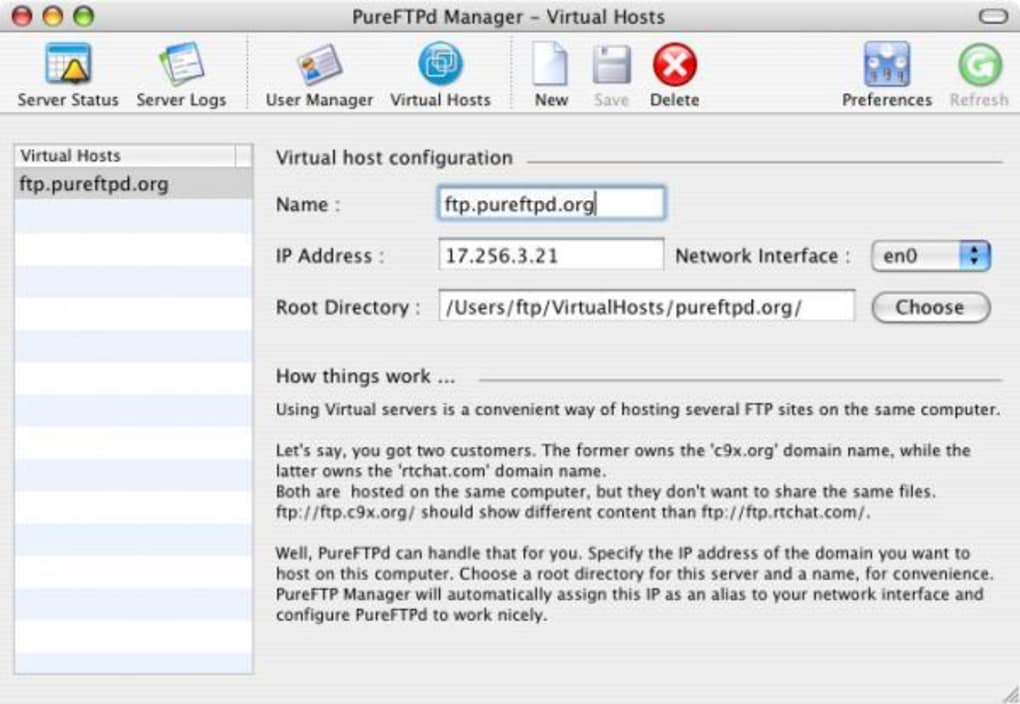
After launching the program for the first time, you will be greeted by a clean, toolbar‑driven interface. The main window is divided into three panes: a list of existing FTP users, a virtual folder overview, and a detailed settings panel. Adding a new FTP user is as simple as clicking the “+” button, entering a username, password, and selecting a home directory. The software automatically creates the necessary entries in the Pure‑FTPd configuration files and updates the server without requiring a manual restart.
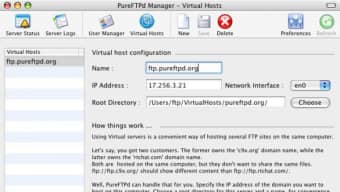
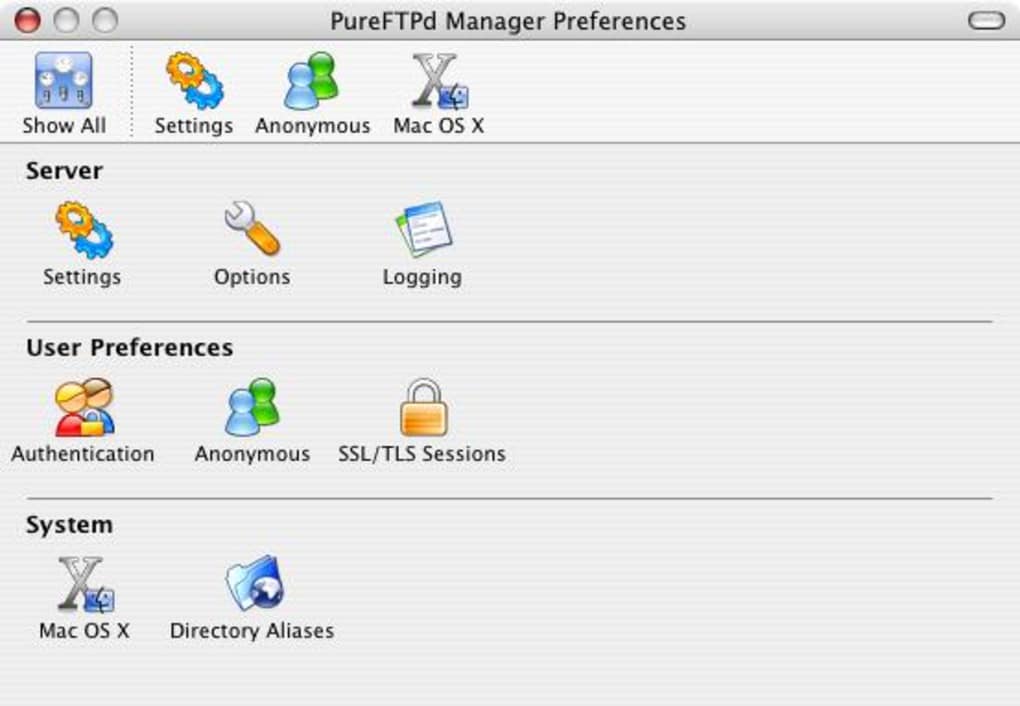
Managing virtual folders follows the same intuitive pattern. Select a user, click “Add Virtual Folder,” then choose a target directory on your Mac. PureFTPd Manager takes care of mapping the virtual path to the physical location and refreshes the folder list instantly. If you need to adjust the recursion limit for directory listings, navigate to the “Advanced Settings” tab, where a slider allows you to set the maximum depth for ls operations. All changes are saved automatically, and the application remembers your window layout for the next session.
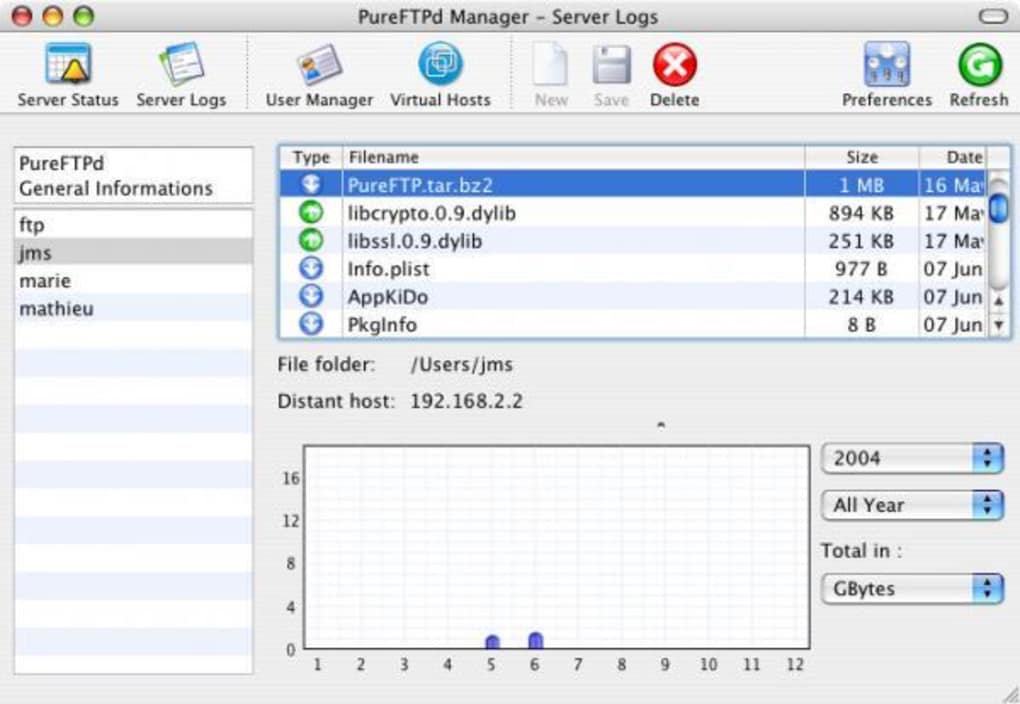
The built‑in log viewer provides real‑time feedback on FTP activity, showing successful connections, failed login attempts, and file transfers. This feature is especially helpful for troubleshooting security issues or verifying that your configuration changes have taken effect. Overall, the installation process and day‑to‑day workflow are designed to keep the learning curve low while delivering the power of Pure‑FTPd in a user‑friendly package.
Compatibility and System Requirements
PureFTPd Manager is built exclusively for macOS platforms, supporting Mac OS X 10.3 (Panther) through 10.6 (Snow Leopard) and newer releases that retain compatibility with legacy 32‑bit applications. The software runs natively on Intel‑based Macs and can operate under Rosetta on older PowerPC machines, although performance may vary. Because PureFTPd itself is a separate daemon, you must have Pure‑FTPd installed on your system prior to using the manager. Installation scripts for Pure‑FTPd are available via Homebrew (brew install pure‑ftpd) or MacPorts, and the manager will automatically detect the daemon’s location once it is running.
The application is offered in English only, with partial French menu translations that lack accompanying documentation. Users seeking full multilingual support may need to rely on community forums for assistance. PureFTPd Manager does not require an internet connection for basic configuration tasks, but an active network is necessary to test FTP connections and to download updates. The program’s low memory usage (under 30 MB) and modest disk footprint (approximately 5 MB) make it suitable for older hardware, including MacBook models from the mid‑2000s.
While PureFTPd Manager is not available for Windows, Android, or iOS, its focus on macOS ensures a tight integration with native UI components and system conventions. Users who manage FTP servers from multiple platforms may combine PureFTPd Manager with other cross‑platform FTP clients to maintain a consistent workflow across operating systems.
Pros and Cons
Pros
- Free and lightweight, ideal for legacy Mac hardware.
- Graphical interface removes the need for manual config file edits.
- Robust virtual user and folder management.
- Low disk‑space and memory consumption.
- Automatic saving of window size and toolbar customizations.
- Built‑in log viewer simplifies troubleshooting.
Cons
- Only available for macOS; no Windows or mobile versions.
- Interface limited to English with partial French translation.
- Last official update was released in 2006, which may raise security concerns for some users.
- Relies on an external Pure‑FTPd installation; not a standalone server solution.
- Missing modern UI enhancements found in newer macOS applications.
Frequently Asked Questions
Do I need to install Pure‑FTPd separately before using PureFTPd Manager?
Yes. PureFTPd Manager acts as a graphical front‑end and requires the Pure‑FTPd daemon to be installed and running on your Mac. You can install it via Homebrew, MacPorts, or by compiling from source.
Is PureFTPd Manager compatible with the latest macOS releases (e.g., macOS 12 Monterey)?
While the software was originally designed for macOS 10.4–10.6, it generally runs on newer versions as a 32‑bit application under Rosetta 2 on Apple Silicon Macs. However, full native compatibility is not guaranteed, and some UI elements may appear outdated.
Can I manage SSL/TLS certificates for secure FTP connections using PureFTPd Manager?
PureFTPd Manager provides basic options to enable TLS, but the actual certificate files must be placed manually in the Pure‑FTPd configuration directory. The manager will then reference those files when starting the daemon.
Is there a way to export or back up my FTP user configuration?
Yes. The application stores user data in Pure‑FTPd’s native configuration files (e.g., /etc/pureftpd.passwd). You can back up these files directly or use the “Export Settings” option in the manager’s File menu to create a snapshot.
How frequently is PureFTPd Manager updated?
The last official release (1.6.3) was posted on October 18 2006. Since then, only minor bug‑fix patches have been released by the community. Users should monitor the project’s website or forums for any unofficial updates.
Conclusion – Why You Should Download PureFTPd Manager Today
PureFTPd Manager remains one of the most accessible tools for configuring Pure‑FTPd on macOS, especially for administrators who prefer a visual approach over command‑line editing. Its free price tag, low resource usage, and straightforward interface make it an attractive option for small‑to‑medium environments, legacy systems, and educational settings where simplicity is key. While it lacks modern UI polish and official updates, the core functionality is solid, and the community continues to provide informal support. If you are looking to secure your FTP services on a Mac without investing in expensive commercial software, PureFTPd Manager offers a reliable, secure, and user‑friendly solution.
Ready to streamline your FTP management? Download PureFTPd Manager now and start configuring your FTP server with confidence. The installation takes just a few minutes, and you’ll have a powerful graphical interface at your fingertips. Secure, free, and easy – PureFTPd Manager is the tool your Mac needs.
PureFTPd Manager delivers a clean, functional interface for Pure‑FTPd on macOS. Its strengths lie in low resource consumption and straightforward virtual user management. The lack of recent updates is a drawback, but for legacy Mac systems the tool remains highly effective.
- Pros: Free, lightweight, intuitive UI, good logging.
- Cons: No native support for macOS 12+, English‑only, outdated visuals.







